
كيف تتعرف على طراز طرفية نقاط البيع IBM / Toshiba — مفك تشفير أرقام الطرازات SurePOS و TCx
افك تشفير نوع الجهاز المؤلف من 4 أرقام + اللاحقة على طرفية IBM SurePOS / Toshiba TCx، اعثر على الملصق المادي، واربط النتيجة بقطع الغيار الصحيحة. دليل ميداني، وليس كتيب مبيعات.
لماذا رقم الطراز هو نقطة البداية للبحث عن قطع الغيار
We process about 60 procurement enquiries a week. Roughly one in three arrives with the wrong machine type — "IBM 4810" instead of the specific 4810-340, "Toshiba TCxWave" with no variant, or a 12-year-old support sticker reading 4694-247 for a system that was actually swapped to a 4900-786 three years ago. Each mismatch costs the buyer a return-shipping cycle. This guide is the field reference that ends those mismatches.
The model number does three jobs at once: it identifies the cabinet, the year of manufacture (roughly), and the peripheral interface generation. Once you have it, every replacement part lookup — power supply FRU, riser card revision, thermal printhead resistance — falls into place. Without it, you're guessing.
اصطلاح التسمية: 4 أرقام لنوع الجهاز + لاحقة
Both IBM (1973–2012) and Toshiba TGCS (2012–present) use the same underlying naming scheme on retail POS hardware. It looks like this:
↑ machine type ↑ suffix
The 4-digit machine type is the broad family:
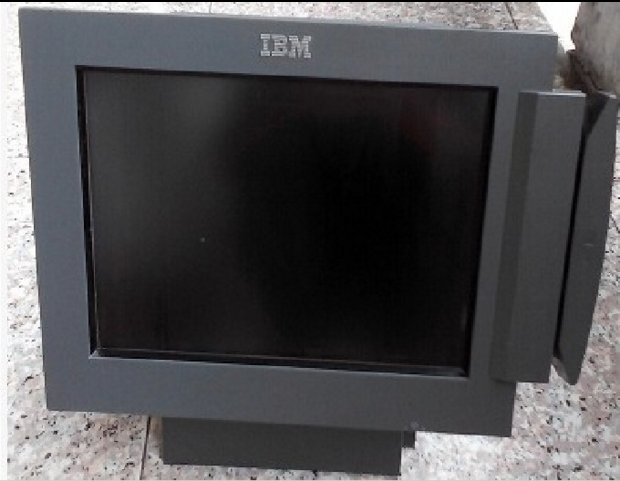
4610— SureMark / TCx receipt & document printers (separate from the POS terminal itself)4810— SurePOS 300 class (low-cost retail register, 2003–2012)4820— SurePoint touch displays & integrated touch POS4830— POS keyboards (e.g.4830-T01ANPOS)4838— SurePOS 100 / 300-V (compact mid-class)4840— SurePOS 500 (mid-class)4852— SurePOS 500 / TCx 500 next-gen (touch all-in-one)4900— SurePOS 700 / TCx 700 (enterprise flagship)6140— TCxWave (all-in-one with curved bezel, 2014-present)
The suffix narrows the family down to one specific configuration: processor generation, power supply rating, expansion-slot layout, and peripheral interface set. Two terminals sharing a machine type but with different suffixes can have completely different mainboards.
أين يقع ملصق الطراز فعلياً — حسب الهيكل
Every IBM/Toshiba retail terminal ships with at least one factory label. The label has held the same six elements since 1996: machine type, model suffix, serial number, FRU of the chassis itself, MAC address, and a barcode of all of the above. Where you find the label depends on the chassis:
| Family | Primary label location | |
|---|---|---|
| 4810-31x / 32x / 33x | Right side panel, near the rear I/O cluster | — |
| 4810-340 / E40 | Rear of chassis, above the power inlet | — |
| 4810-350 / 370 / E70 | Top of chassis, behind the lift-up service hatch | — |
| 4820 SurePoint (touch display) | Rear of head unit, behind the cable cover | — |
| 4838 / 4840 / 4852 | Bottom of chassis when unit is laid on its back | — |
| 4900-7xx / 8xx | Right side panel, sometimes also on the rear I/O shield | — |
| 6140 TCxWave (all-in-one) | Behind the rear plastic shroud — pop the cover with a finger nail at the top edge | — |
كتالوج العائلات: 4810, 4820, 4830, 4838, 4840, 4852, 4900, 6140
Below is the working catalog we use internally to map machine types to part categories. Treat the years as approximate — Toshiba extended support on most platforms 3–5 years past initial end-of-marketing.
| Family | Class | Years | Class peripherals | |
|---|---|---|---|---|
| 4810-31x → 33x | SurePOS 300 | 2003–2010 | Powered USB v1 | — |
| 4810-340 / E40 | SurePOS 300 | 2008–2014 | Powered USB v2 | — |
| 4810-350 / 370 | SurePOS 300-V | 2010–2016 | Powered USB v2 | — |
| 4820-21G / 51G | SurePoint touch | 2008–2018 | Powered USB | — |
| 4838-330 / 540 | SurePOS 100/300-V | 2010–2016 | Powered USB v2 | — |
| 4840-544 / 561 / 563 | SurePOS 500 | 2003–2012 | Powered USB v1 | — |
| 4852-526 / 566 / 570 | SurePOS 500 / TCx 500 | 2011–2020 | Powered USB v2 | — |
| 4900-742 / 743 / 745 | SurePOS 700 / TCx 700 | 2010–2018 | Powered USB v2 / USB 3.0 | — |
| 4900-785 / 786 / C86 | TCx 700-C | 2014–present | USB 3.0 / Powered USB | — |
| 6140-14C / 18C / E3R | TCxWave all-in-one | 2014–present | USB 3.0 / Powered USB | — |
فك تشفير اللاحقة: ماذا تعني 'E40' و '5LG' و '14C' و '2NR' فعلياً
The suffix letter sequence isn't random — it encodes specific configuration axes. The convention shifted slightly between the IBM and Toshiba eras, but the underlying mapping is consistent:
| Suffix pattern | Meaning | Example | |
|---|---|---|---|
| Single digit (1, 2, 3) | Power-supply generation | 4900-712 vs 4900-722 — same chassis, different PSU | — |
| Trailing letter E | Eco / Energy-efficient revision | 4810-E40 = ACBEL 230 W upgrade on 4810-340 | — |
| Trailing letter X | Extended / Expanded I/O revision | (historical, rarely seen on current stock) | — |
| 5xx | SurePOS 500 mid-class | 4840-561, 4852-570 | — |
| 7xx / 8xx | SurePOS 700 / TCx 700 flagship | 4900-742, 4900-786 | — |
| Letter + LG | LCD Graphics — SurePoint touch | 4820-5LG = SurePoint 15-inch capacitive | — |
| Letter + xR / xC | IBM SureMark printer model — R=receipt, C=cheque/document | 4610-2CR = 2NR refresh + document slip | — |
| Letter + xN / xT | IBM SureMark printer — N=non-printing slip, T=thermal | 4610-1NR (1-station receipt) | — |
| 14C / 18C | TCxWave display size — 14-inch / 18.5-inch | 6140-14C, 6140-18C | — |
| E3R | TCxWave Edge 3rd-gen Retail (current shipping config) | 6140-E3R | — |
| TF6 / TM6 / TG4 / TI4 | IBM 4610 printhead/cutter generation | TF6 = thermal Friction 6th gen | — |
| 1NR / 2NR / 2CR | IBM 4610 station count + cheque support | 1-station receipt / 2-station / 2-station with cheque | — |
انتقال IBM → Toshiba عام 2012: لماذا يعيش الاسمان معاً
On August 16, 2012, Toshiba TEC acquired IBM's Retail Store Solutions business for $850 million. The deal transferred IBM's POS hardware portfolio — SurePOS, SureMark, SurePoint — and the 4690 operating system to Toshiba, which folded them into a new subsidiary, Toshiba Global Commerce Solutions (TGCS).
For the next 3–5 years, Toshiba continued shipping the same chassis with IBM-branded labels under a transitional licensing agreement. During this period a 4900-786 leaving the factory could carry either IBM or Toshiba branding depending on the buyer's contract — but the hardware is identical. By 2018 Toshiba completed the rebrand, renaming the SurePOS line to TCx (SurePOS 700 → TCx 700, SurePOS 500 → TCx 500), introducing the all-new TCxWave 6140 line, and retiring the IBM brand from new production.
The handful of exceptions: anything with a 7- or 8-character TGCS-era part number that starts with 00V, 54Y or 95Y is Toshiba-era stock (after 2014). Anything starting with 14R, 40N, 41J, 42M or 44V is IBM-era stock (2008–2014). Parts are forward- and backward-compatible at the chassis level.
Machine Type vs FRU vs P/N — ثلاثة أرقام مختلفة، هيكل واحد
The three-number system is the biggest source of confusion for first-time procurement. Each number identifies a different thing:
| Number type | Identifies | Format | Example | |
|---|---|---|---|---|
| Machine Type (MT) | The chassis family (cabinet) | 4 digits + 3-char suffix | 4900-786 | — |
| Type / Model (M/T-M) | A specific configuration of that chassis | 4 + 3 (same as MT) | 4900-786 | — |
| FRU (Field Replaceable Unit) | A single internal part inside the chassis | 5–7 chars alphanumeric | 44V2031 = ACBEL 230 W PSU | — |
| P/N (Part Number) | Variant of FRU — same part, different sourcing batch | P/N often = FRU; can differ for refurb stock | PN42V3935 = SurePOS 500 tailgate | — |
| S/N (Serial Number) | One specific unit's identity | 10–12 chars alphanumeric | 78-CTAJX | — |
- 1
Identify the failing component on the chassis
Don't start with the symptom — start with the part. Receipt printer faded? You need a thermal printhead, not a printer. Drawer won't open? You need a cable or solenoid, not a drawer. Naming the component narrows the FRU search by an order of magnitude. - 2
Read its FRU sticker (back, top, or inside cover)
Every internal part carries its own FRU number on a screen-printed sticker. Power supplies: on the metal case, top side. Mainboards: on the SATA-port edge. Riser cards: on the PCB silkscreen near the bracket. Photograph it.Caution: Don't trust the FRU printed on the original packaging — packaging gets reused. Read it off the part itself. - 3
Cross-reference FRU against the machine type to confirm compatibility
A 44V2031 power supply fits both 4810-340 and 4810-E40, but a 99Y3273 PSU only fits 4900-785 and later. Quote both machine type and FRU when checking with a supplier. - 4
Match against supplier stock by FRU first, P/N second
FRU is the unambiguous identifier. P/N (part number) sometimes carries refurb-batch suffixes that look different but represent the same physical part. If you see a stock listing with an FRU match but a P/N you don't recognize, ask the supplier for a photograph of the part's sticker. - 5
Confirm the replacement matches: voltage, connector, firmware
Especially relevant for power supplies (24 V Powered-USB families changed between 4810-340 and 4810-E40), riser cards (Sparta v1 vs v2.1 use different bracket mounting), and mainboards (BIOS revisions tied to specific Toshiba TCx firmware).
مفك تشفير عملي: رقم الطراز → كتالوج قطع الغيار
Once you have a machine type and a symptom, the part falls into one of nine standard categories. The table below maps the most common failures to the part family you need to order:
| Symptom | Most likely part family | |
|---|---|---|
| Won't power on, no LEDs | Power supply (FRU starting with 44V / 99Y / 57P / DPS-) | — |
| POSTs but won't load OS | Storage drive / mainboard | — |
| Black screen, fans spin | Display, display cable, or backlight inverter | — |
| Faded receipts | Thermal printhead — see Guide A | — |
| Random typing on keyboard | Keyboard membrane / circuit film | — |
| Drawer won't open on cue | Drawer cable / solenoid (K-series for Wincor; 46N4329 for IBM) | — |
| Customer display blank | VFD or LCD display module, or Powered USB cable | — |
| Card swipe failures | MSR head / card reader assembly | — |
| USB ports dead | Riser / IO card / tailgate assembly | — |
تم التحقق من الطراز. ماذا الآن؟
Two follow-ups, in order:
- Take photos of every label on the chassis before disassembly. The outer machine-type label, the inner FRU sticker, the power supply FRU, the riser card FRU. Save them in your ticketing system. Future maintenance becomes 10× faster when this data is on file.
- Pull the part you need from a supplier with the FRU quoted on the listing. Generic descriptions ("IBM 4900 power supply") won't cut it — that term matches six different FRUs across the 4900 family. Match the FRU number digit-for-digit.
الأسئلة الشائعة
لا أستطيع العثور على ملصق الطراز في أي مكان — ماذا أفعل؟
ما هو الفرق الفعلي بين IBM 4810-340 و IBM 4810-E40؟
هل 'IBM 4900' هو نفس منتج 'Toshiba 4900'؟
هل يمكنني ترقية IBM 4810 قديم إلى 4900؟
ماذا تعني 'TCxWave' في Toshiba 6140؟
لماذا تحمل بعض الطرفيات رموز FRU لا تطابق نوع الجهاز؟
هل لا تزال Toshiba تدعم SurePOS 4900 المحمل بعلامة IBM؟
المصادر والمراجع الإضافية
- TCx® 700 & SurePOS 700 Support — Toshiba Commerce — Toshiba Global Commerce Solutions
- SureMark 4610 Models 2CR / 2NR User's Guide (GA27-5003) — IBM Public DHE
- 4690 Operating System — Wikipedia — Wikipedia
- Toshiba Global Commerce Solutions SureMark 4610 Hardware Guide (Models 2xR) — Toshiba TGCS
- IBM SurePOS 4810-32x / 33x / E40 Hardware Service Manual — ManualsLib (mirrored from IBM)
أدلة ذات صلة
أجهزة POS المدمجة مقابل المعيارية: أيّها تشتري (وكيف يؤثّر كلٌّ في الإصلاحات)
المدمج أنيق وسريع النشر؛ والمعياري مرن وأرخص في الترقية والإصلاح. الجواب الصحيح يعتمد على حجمك وخطط نموّك — وكيف تريد التعامل مع الأعطال.
اقرأ الدليل →دليل شراء ماسح الباركود: ليزر 1D مقابل مصوّر 2D، سلكي مقابل لاسلكي، يدوي مقابل بلا يدين
سؤالان يحسمان الأغلب: هل تمسح شاشات هواتف (إذًا 2D)، وهل منضدتك مزدحمة بما يكفي لتريد بلا يدين؟ إليك كيف تتطابق التقنية والشكل والاتصال مع الاستخدام الفعلي.
اقرأ الدليل →قاطعات طابعة الإيصالات الأوتوماتيكية: مقصلة مقابل دوّارة، قطع جزئي مقابل كامل، وعمر الشفرة
مقصلة أم دوّارة؟ قطع جزئي أم كامل؟ القاطعة هي القطعة المتحرّكة الأكثر استخدامًا في طابعة الإيصالات — النوع والوضع الصحيحان يبقيان الممر سريعًا والإيصالات مرتّبة.
اقرأ الدليل →فئات ذات صلة
قطع غيار مميزة



هل تحتاج إلى القطع المذكورة في هذا الدليل؟
قطع OEM أصلية وبدائل مختبرة في المصنع لأنظمة IBM و Toshiba و NCR و Diebold و Wincor و Hyosung — مع شحن عالمي.


