
PoweredUSB expliqué : câblage POS 5V, 12V et 24V, connecteurs et comment choisir
Un guide d'achat sur PoweredUSB (Retail USB / USB PlusPower) pour POS — ce que c'est, le codage tension et couleur 5V/12V/24V, le détrompage 1x8 vs 2x4, comment associer un câble à votre imprimante ou périphérique, et pourquoi la tension compte.
Le résumé en 60 secondes
PoweredUSB (also called Retail USB, USB PlusPower or USB +Power) is a USB connector that carries data and DC power in one cable, so a receipt printer or touchscreen can run without its own power brick. The only two things you must get right when buying one are the voltage and the connector shape — and the standard makes both easy to check:
| Voltage | Colour | Max power | Typical device | |
|---|---|---|---|---|
| 5 V | Grey | ~30 W | Low-power peripherals | — |
| 12 V | Teal / blue-green | ~72 W | Scanners, some printers | — |
| 24 V | Red | ~144 W | Receipt printers (Epson/IBM) | — |
| 19 V (variant) | Violet | — | Specific devices | — |
Ce qu'est PoweredUSB et pourquoi le POS l'utilise
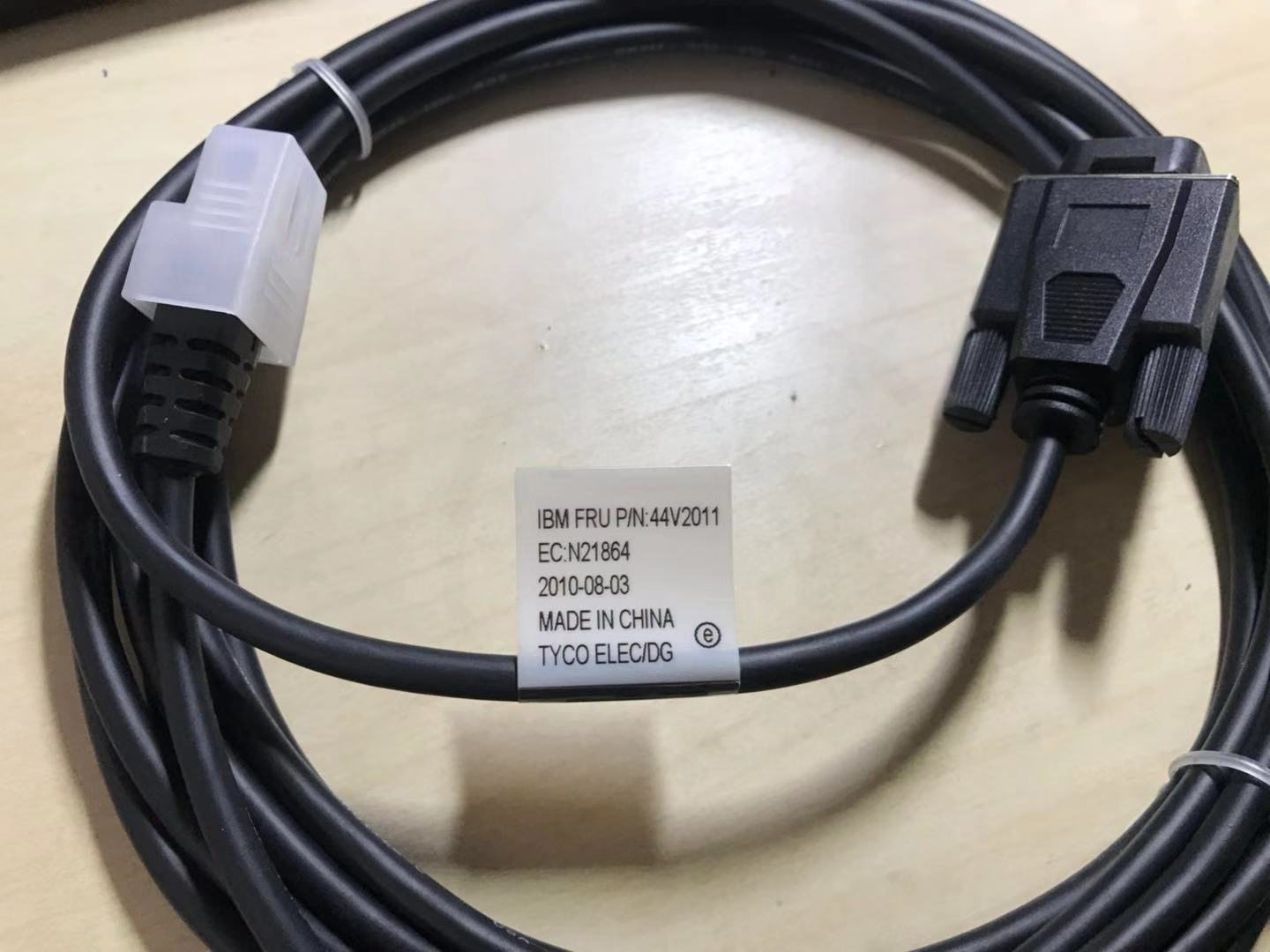
A standard USB port gives you data and a little 5 V power — fine for a mouse, not enough for a thermal receipt printer. PoweredUSB solves that by stacking a power connector onto a standard USB plug: the bottom half is ordinary USB (data), the top half delivers higher-current DC. One cable, both jobs, far less clutter behind the counter.
You’ll find PoweredUSB on receipt printers, touchscreens and scanners from the major POS brands. Because it removes a power supply per peripheral, it cuts both cable count and the number of mains outlets a lane needs.
Tensions, code couleur et puissance
The standard offers three main voltages plus a variant, each colour-coded so you can identify a cable or port instantly:
Types de connecteurs et détrompage
Voltage isn’t the only variable — the physical pin arrangement at the device end differs too. The two you’ll meet most are described by their pin layout:
| Connector | Layout | Notes | |
|---|---|---|---|
| 1x8-pin | Eight contacts in one row | Common on many Epson / IBM printers | — |
| 2x4-pin | Two rows of four | Used by other printers/terminals | — |
| Keying by voltage | Plugs physically polarised | 12 V and 24 V won't interchange — by design | — |
Crucially, the different voltage versions are mechanically keyed so they can’t be mis-plugged — a 12 V plug won’t fully seat into a 24 V socket. That keying is a safety feature, not an obstacle: if a connector resists, you have the wrong cable, not a stubborn port.
Associer un câble à votre appareil
Choosing the right PoweredUSB cable is a short, ordered checklist. Work it from the device outward:
- 1
Read the device's rated voltage
Check the printer or peripheral’s label or spec sheet for its input voltage (commonly 24 V for receipt printers, 12 V for many scanners). This decides the cable colour/version. - 2
Identify the connector layout
Note the device-end plug shape — 1x8-pin or 2x4-pin. The cable must match this exactly, so a 24 V printer may need, e.g., a “24 V 1x8-pin” cable. - 3
Confirm the host-end connector
Check what the terminal or PoweredUSB hub/expansion card provides at the other end, and pick a cable with the matching host plug. - 4
Check current and length
Make sure the cable is rated for the device’s current draw (contacts handle ~3 A) and choose a length that reaches without strain — use a PoweredUSB extension or hub if you need more reach.Caution: Never adapt across voltages to make a plug fit — match the device's rated voltage exactly.
Quand un périphérique ne s'alimente pas
If a PoweredUSB peripheral won’t power up, run these checks before suspecting the device:
| Check | What to confirm | |
|---|---|---|
| Voltage match | Cable colour/version matches the device's rated input | — |
| Fully seated | Connector clicked home at both ends, correct keying | — |
| Cable/port current rating | Rated for the device's draw; not a thin data-only cable | — |
| Port supplies power | Some ports are data-only — confirm it's a powered port | — |
| Swap test | Known-good port + cable powers it = original cable/port faulty | — |
Browse PoweredUSB cables, extensions and adapters in our cables & connectors category, PoweredUSB hubs and expansion cards in interface cards, and replacement bricks in power supplies. If a printer on a PoweredUSB line is dead rather than miscabled, see our power supply failure diagnosis guide. Tell us your printer or peripheral model and we’ll match the exact voltage and connector before you order.
Questions fréquentes
Qu'est-ce que PoweredUSB ?
Quelles tensions PoweredUSB fournit-il ?
Que signifient les couleurs des connecteurs ?
Quelle différence entre connecteurs PoweredUSB 1x8 et 2x4 ?
Puis-je utiliser un câble PoweredUSB 24V sur un appareil 12V ?
Mon périphérique PoweredUSB ne s'allume pas — que vérifier ?
Sources & lectures complémentaires
- PoweredUSB — Wikipedia
- What Is PoweredUSB? 12V vs 24V Explained — PCM Cable
- PoweredUSB Specification (overview) — poweredusb.org
- Powered USB Equipment for POS (PlusPower) — Beagle Hardware
- PoweredUSB Cables for POS Equipment (5V/12V/24V) — Goochain
Guides associés
Terminaux POS tout-en-un vs modulaires : lequel acheter (et comment chacun affecte les réparations)
Le tout-en-un est net et rapide à déployer ; le modulaire est flexible et moins cher à mettre à niveau et réparer. La bonne réponse dépend de votre taille, vos plans de croissance — et comment vous voulez gérer les pannes.
Lire le guide →Guide d'achat de lecteurs code-barres : laser 1D vs imageur 2D, filaire vs sans fil, à main vs mains libres
Deux questions décident l'essentiel : devez-vous scanner des écrans de téléphone (alors 2D), et votre comptoir est-il assez chargé pour vouloir le mains libres ? Voici comment technologie, format et connexion correspondent à l'usage réel.
Lire le guide →Coupe-papier automatiques d'imprimante de tickets : guillotine vs rotatif, coupe partielle vs totale, durée de vie de la lame
Guillotine ou rotatif ? Coupe partielle ou totale ? Le coupeur est la pièce mobile la plus utilisée d'une imprimante de tickets — le bon type et le bon mode gardent la caisse rapide et les tickets nets.
Lire le guide →Catégories associées
Pièces en vedette

%20Sparta%20Riser%20Card/120c399634d85265f7a7595a979407ee_c48b4b186f0a2eea2b86d0d5a86c219e_s-l1600.jpg)

Besoin des pièces mentionnées dans ce guide ?
Pièces OEM d'origine et alternatives testées en usine pour les systèmes IBM, Toshiba, NCR, Diebold, Wincor et Hyosung — avec expédition mondiale.


