
Считыватель карт POS не читает прокатку? Чистка, диагностика и замена MSR
Практическое руководство по считывателю магнитной полосы, который не читает — как работает MSR, правильная чистка читающей головки, как отличить плохую карту от плохого считывателя и от проблемы хоста, и подбор замены по интерфейсу и дорожкам.
Быстрая сортировка
A card reader that suddenly stops reading swipes rarely needs replacing. In the field, the order of likelihood is almost always: a dirty read head first, a worn or demagnetized card second, swipe technique third, and an actual reader failure a distant fourth. Two cheap tests resolve most calls before you order anything:
| Do this | What it rules out | |
|---|---|---|
| 1. Clean the slot (cleaning card or IPA + microfiber) | A dirty read head — the #1 cause of swipe failures | — |
| 2. Try 2–3 known-good cards | A single demagnetized or scratched card | — |
| 3. Swipe slowly, stripe facing the head | Too-fast, partial or wrong-orientation swipes | — |
| 4. Reseat USB / restart the terminal | A loose connection or stale USB session | — |
| 5. Cross-test, then replace | Confirms the reader itself is the fault before you buy | — |
Как работает считыватель магнитной полосы
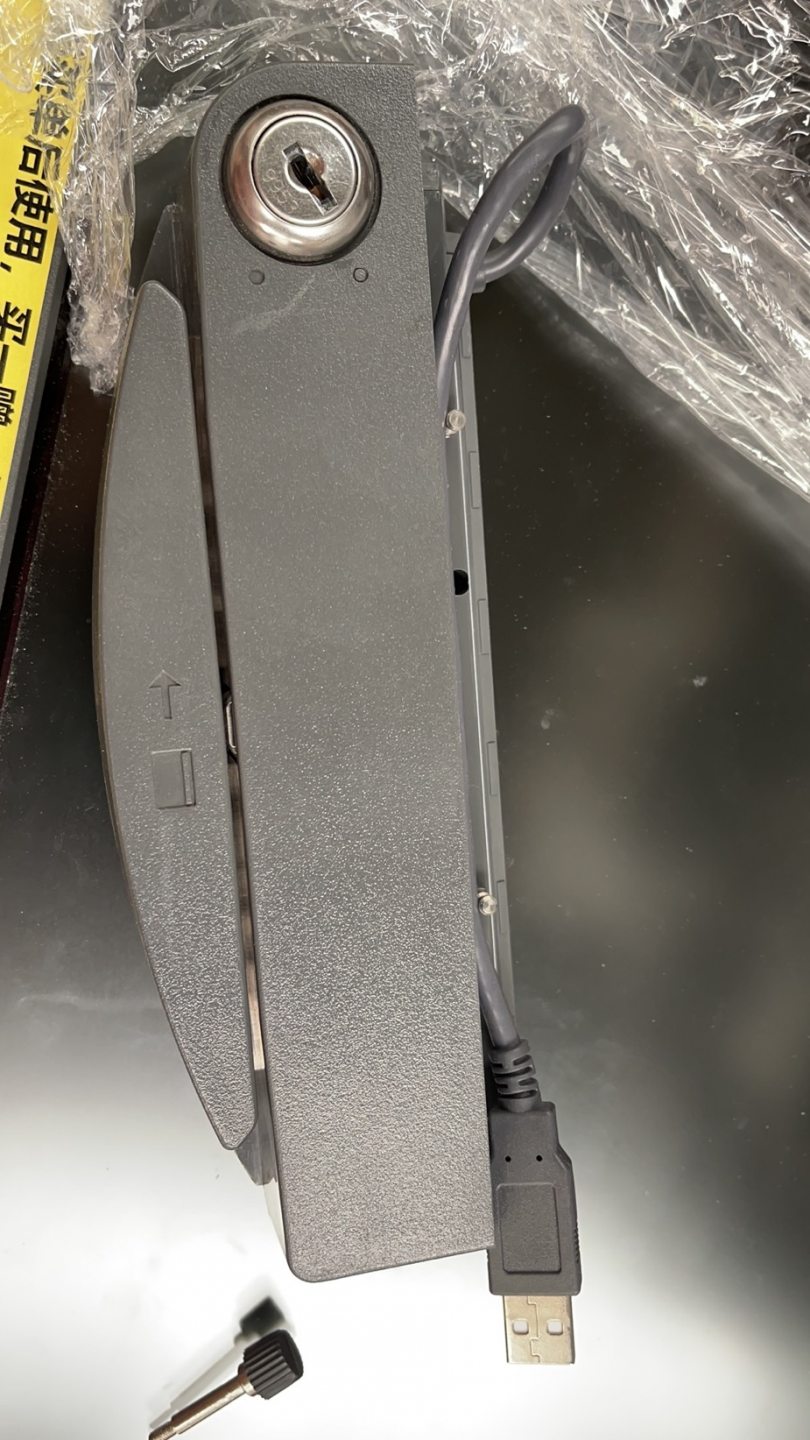
A magnetic-stripe reader (MSR) is simple: as the card’s stripe slides past a tiny magnetic read head, the head detects the flipping magnetic fields encoded on the stripe and converts them to data. The stripe holds up to three parallel tracks, and most POS transactions read tracks 1 and 2.
Because reading depends on physical contact between stripe and head, two things dominate failures: anything that blocks that contact (dirt, lint, grime on the head) and anything that weakens the signal (a worn, scratched or demagnetized stripe). That’s why cleaning and a known-good card resolve the overwhelming majority of swipe problems.
Чтение симптома
The pattern of failure points to the cause. Match yours before reaching for a tool:
| Symptom | Most likely cause | |
|---|---|---|
| No cards read at all | Dirty head, loose USB, or failed reader | — |
| Some cards read, others don't | Worn/demagnetized cards (not the reader) | — |
| Reads only on slow, careful swipes | Head wear or build-up — clean, then watch the trend | — |
| LED reacts but POS shows nothing | USB/HID config or the POS field isn't focused | — |
| Intermittent / drops out | Loose connector or failing reader electronics | — |
| Customer chip cards 'fail' | Chip card swiped instead of inserted — not an MSR fault | — |
Правильная чистка читающей головки
Cleaning is the highest-yield fix, but only if done correctly — the wrong materials make things worse. Follow this exactly:
- 1
Use the right material
A purpose-made cleaning card, or a lint-free microfiber cloth lightly dampened with isopropyl alcohol. Nothing else touches the slot.Caution: Never use paper towel, tissue or ordinary cloth — they shed lint that builds up on the head and causes failures. - 2
Pass through in one direction
Insert the cleaning card or fold the cloth thin, and draw it slowly and fully through the swipe slot in one direction. - 3
Repeat in the opposite direction
Pull it back through the other way. Repeat a few passes until it comes out clean. Let any alcohol flash off before swiping a real card. - 4
Re-test with a known-good card
Swipe two or three good cards smoothly. If they read, you’re done — and you’ve just learned the cleaning interval this site needs.
Изолировать: плохая карта, плохой считыватель или хост?
If cleaning didn’t fix it, isolate the fault with a quick cross-test. The goal is to prove which of three things is at fault — the card, the reader, or the host — before you replace anything.
| Test | Result → conclusion | |
|---|---|---|
| Several good cards in the suspect reader | None read → reader is the likely fault | — |
| The original card in another good reader | Fails there too → the card is demagnetized/worn | — |
| Suspect reader on another terminal | Works there → host PC, USB or software, not the reader | — |
| Reader LED on swipe, POS blank | Config/focus issue — check USB-HID and the input field | — |
If the reader fails every good card across multiple terminals even after cleaning, the read head is worn or the electronics have failed — it’s time to replace it.
Выбор сменного MSR
Read heads are wear parts; in heavy retail a reader may be due after a few years even with diligent cleaning. Match the replacement on these specs for a clean swap:
| Spec | How to choose | |
|---|---|---|
| Interface | USB HID keyboard-emulation (most common), USB-serial, or RS-232 | — |
| Tracks read | 1/2 for most payments; 1/2/3 if your application needs track 3 | — |
| Form factor | Standalone slot, or integrated to a specific display/terminal model | — |
| Mounting | Side-mount bracket vs built-in — match your terminal's chassis | — |
| Brand fit | Some terminals (Elo, NCR, etc.) take a model-specific attached reader | — |
Browse standalone and integrated readers in our card readers & scanners category, and replacement cables in cables & connectors. For motorized ATM-style read heads — a different beast from a hand-swipe POS MSR — see our ATM card reader heads comparison. Tell us your terminal model and required tracks and we’ll match the right reader before you order.
Часто задаваемые вопросы
Считыватель карт POS перестал читать прокатку — что проверить первым?
Как чистить считыватель магнитной полосы и как часто?
Как понять, неисправна карта или считыватель?
Важны ли скорость или направление прокатки?
Считыватель под питанием, но POS ничего не показывает при прокатке — это ПО?
Когда MSR действительно изношен и подлежит замене?
Источники и дополнительные материалы
Связанные руководства
Подключение денежного ящика: drawer-kick RJ11/RJ12, от принтера против USB, и импульс 12–24В
Денежный ящик POS не подключается к кассе — его открывает импульс 12–24В от чекового принтера по кабелю RJ11/RJ12. Верные интерфейс, пины и напряжение — и он работает.
Читать →Шумный или отказывающий вентилятор POS? Диагностируйте подшипник, очистите и подберите замену
Скрежещущий или воющий вентилятор POS — обычно пыль или изношенный подшипник, а без внимания это ведёт к перегреву и отключениям. Вот как найти шумный вентилятор, решить чистить-или-менять и подобрать нужный.
Читать →Чек печатает бледно, тёмно, частично или полосами? Диагностика качества термопечати (начните с самотеста)
Бледные, полосатые или односторонние чеки почти всегда — грязная головка, не та бумага или настройка плотности, а не мёртвый принтер. Один самотест говорит, в чём решение — в ПО или в железе.
Читать →Связанные категории
Рекомендуемые запчасти
%20Sparta%20Riser%20Card/120c399634d85265f7a7595a979407ee_c48b4b186f0a2eea2b86d0d5a86c219e_s-l1600.jpg)

Нужны детали, упомянутые в этом руководстве?
Оригинальные OEM-детали и заводские аналоги для систем IBM, Toshiba, NCR, Diebold, Wincor и Hyosung — с доставкой по всему миру.


