
PoweredUSB простыми словами: кабели POS 5В, 12В и 24В, разъёмы и как выбрать правильный
Руководство по выбору PoweredUSB (Retail USB / USB PlusPower) для POS — что это, кодировка напряжения и цвета 5В/12В/24В, ключевание 1x8 и 2x4, как подобрать кабель к принтеру или периферии, и почему важно напряжение.
Сводка за 60 секунд
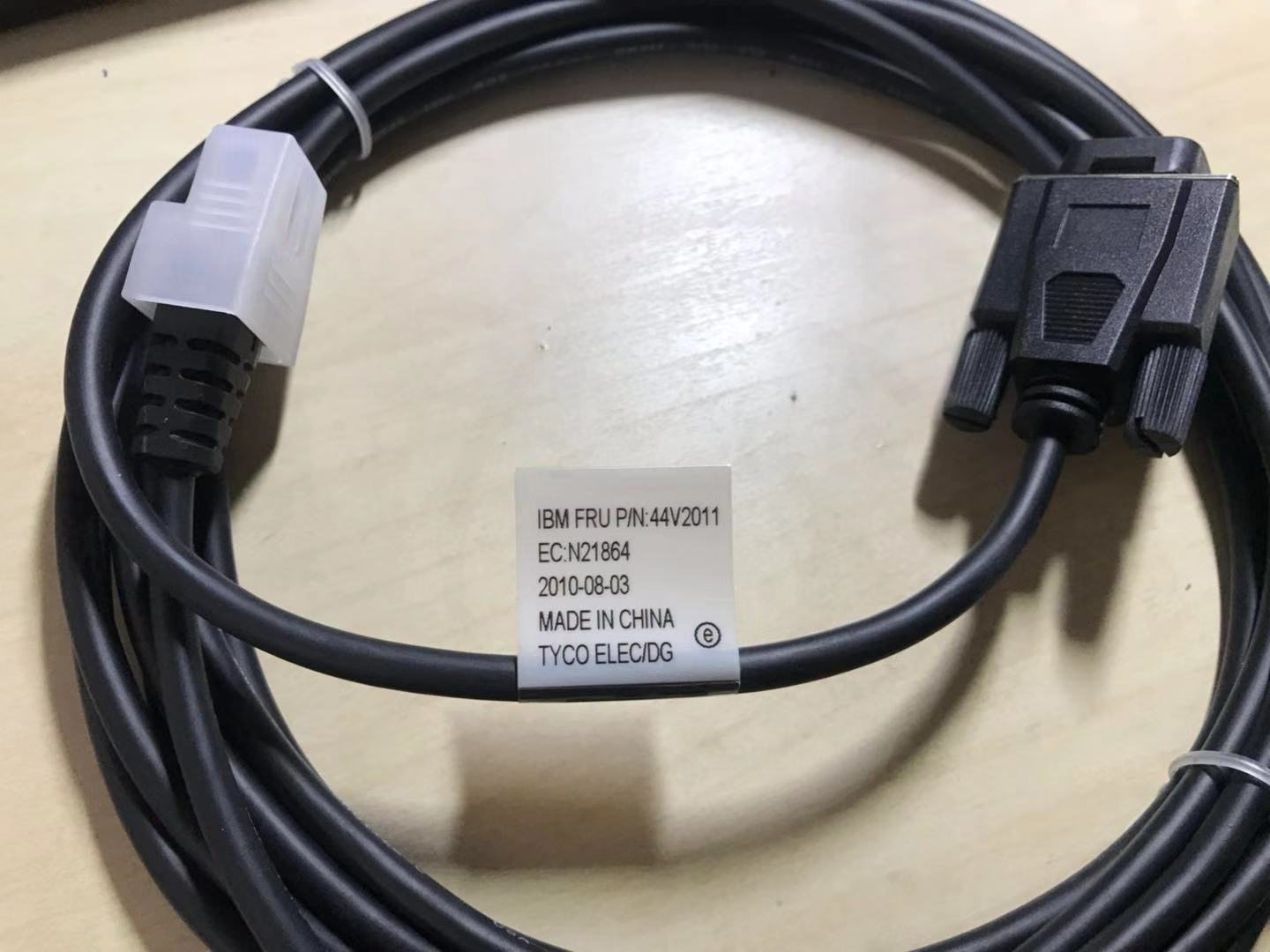
PoweredUSB (also called Retail USB, USB PlusPower or USB +Power) is a USB connector that carries data and DC power in one cable, so a receipt printer or touchscreen can run without its own power brick. The only two things you must get right when buying one are the voltage and the connector shape — and the standard makes both easy to check:
| Voltage | Colour | Max power | Typical device | |
|---|---|---|---|---|
| 5 V | Grey | ~30 W | Low-power peripherals | — |
| 12 V | Teal / blue-green | ~72 W | Scanners, some printers | — |
| 24 V | Red | ~144 W | Receipt printers (Epson/IBM) | — |
| 19 V (variant) | Violet | — | Specific devices | — |
Что такое PoweredUSB и почему его используют в POS
A standard USB port gives you data and a little 5 V power — fine for a mouse, not enough for a thermal receipt printer. PoweredUSB solves that by stacking a power connector onto a standard USB plug: the bottom half is ordinary USB (data), the top half delivers higher-current DC. One cable, both jobs, far less clutter behind the counter.
You’ll find PoweredUSB on receipt printers, touchscreens and scanners from the major POS brands. Because it removes a power supply per peripheral, it cuts both cable count and the number of mains outlets a lane needs.
Напряжения, цветовая кодировка и мощность
The standard offers three main voltages plus a variant, each colour-coded so you can identify a cable or port instantly:
Типы разъёмов и ключевание
Voltage isn’t the only variable — the physical pin arrangement at the device end differs too. The two you’ll meet most are described by their pin layout:
| Connector | Layout | Notes | |
|---|---|---|---|
| 1x8-pin | Eight contacts in one row | Common on many Epson / IBM printers | — |
| 2x4-pin | Two rows of four | Used by other printers/terminals | — |
| Keying by voltage | Plugs physically polarised | 12 V and 24 V won't interchange — by design | — |
Crucially, the different voltage versions are mechanically keyed so they can’t be mis-plugged — a 12 V plug won’t fully seat into a 24 V socket. That keying is a safety feature, not an obstacle: if a connector resists, you have the wrong cable, not a stubborn port.
Подбор кабеля к устройству
Choosing the right PoweredUSB cable is a short, ordered checklist. Work it from the device outward:
- 1
Read the device's rated voltage
Check the printer or peripheral’s label or spec sheet for its input voltage (commonly 24 V for receipt printers, 12 V for many scanners). This decides the cable colour/version. - 2
Identify the connector layout
Note the device-end plug shape — 1x8-pin or 2x4-pin. The cable must match this exactly, so a 24 V printer may need, e.g., a “24 V 1x8-pin” cable. - 3
Confirm the host-end connector
Check what the terminal or PoweredUSB hub/expansion card provides at the other end, and pick a cable with the matching host plug. - 4
Check current and length
Make sure the cable is rated for the device’s current draw (contacts handle ~3 A) and choose a length that reaches without strain — use a PoweredUSB extension or hub if you need more reach.Caution: Never adapt across voltages to make a plug fit — match the device's rated voltage exactly.
Когда периферия не запитывается
If a PoweredUSB peripheral won’t power up, run these checks before suspecting the device:
| Check | What to confirm | |
|---|---|---|
| Voltage match | Cable colour/version matches the device's rated input | — |
| Fully seated | Connector clicked home at both ends, correct keying | — |
| Cable/port current rating | Rated for the device's draw; not a thin data-only cable | — |
| Port supplies power | Some ports are data-only — confirm it's a powered port | — |
| Swap test | Known-good port + cable powers it = original cable/port faulty | — |
Browse PoweredUSB cables, extensions and adapters in our cables & connectors category, PoweredUSB hubs and expansion cards in interface cards, and replacement bricks in power supplies. If a printer on a PoweredUSB line is dead rather than miscabled, see our power supply failure diagnosis guide. Tell us your printer or peripheral model and we’ll match the exact voltage and connector before you order.
Часто задаваемые вопросы
Что такое PoweredUSB?
Какие напряжения даёт PoweredUSB?
Что означают цвета разъёмов?
В чём разница между разъёмами PoweredUSB 1x8 и 2x4?
Можно ли использовать кабель PoweredUSB 24В на устройстве 12В?
Периферия PoweredUSB не включается — что проверить?
Источники и дополнительные материалы
- PoweredUSB — Wikipedia
- What Is PoweredUSB? 12V vs 24V Explained — PCM Cable
- PoweredUSB Specification (overview) — poweredusb.org
- Powered USB Equipment for POS (PlusPower) — Beagle Hardware
- PoweredUSB Cables for POS Equipment (5V/12V/24V) — Goochain
Связанные руководства
Моноблочные против модульных POS-терминалов: что покупать (и как каждый влияет на ремонт)
Моноблок аккуратен и быстр в развёртывании; модульный гибок и дешевле в апгрейде и ремонте. Верный ответ зависит от размера, планов роста — и как вы хотите обрабатывать отказы.
Читать →Руководство по выбору сканера штрихкодов: 1D-лазер против 2D-имиджера, проводной против беспроводного, ручной против бесконтактного
Большинство решают два вопроса: нужно ли сканировать экраны телефонов (тогда 2D) и достаточно ли загружена касса, чтобы хотеть бесконтактный режим? Вот как технология, форм-фактор и подключение ложатся на реальную работу.
Читать →Автоотрезчики чековых принтеров: гильотинный против ротационного, частичный против полного реза, и ресурс лезвия
Гильотинный или ротационный? Частичный или полный рез? Отрезчик — самая нагруженная движущаяся часть чекового принтера: правильный тип и режим держат кассу быстрой, а чеки опрятными.
Читать →Связанные категории
Рекомендуемые запчасти

%20Sparta%20Riser%20Card/120c399634d85265f7a7595a979407ee_c48b4b186f0a2eea2b86d0d5a86c219e_s-l1600.jpg)

Нужны детали, упомянутые в этом руководстве?
Оригинальные OEM-детали и заводские аналоги для систем IBM, Toshiba, NCR, Diebold, Wincor и Hyosung — с доставкой по всему миру.


