
คู่มือเลือกซื้อลิ้นชักเก็บเงิน POS: ขับด้วยเครื่องพิมพ์ vs USB vs แบบมือ สาย RJ11/RJ12 และขนาด
วิธีเลือกลิ้นชักเก็บเงิน POS — ขับด้วยเครื่องพิมพ์ (kick RJ11/RJ12) vs USB ต่อตรง vs แบบมือ ทำไมสาย POS จึงสำคัญ การกำหนดขนาดช่องแบงก์และเหรียญ คุณภาพงานสร้าง และการจับคู่กับเครื่องพิมพ์ใบเสร็จ
ตัวช่วยเลือกอย่างเร็ว
A cash drawer is the simplest part of a POS lane — and the one people most often buy wrong. Get three things right and it just works: the connection type, the cable, and the size. Quick orientation:
| If your setup is… | Choose | Why | |
|---|---|---|---|
| A fixed till with a receipt printer | Printer-driven (RJ11/RJ12) | Opens on the printer's 24V kick — simplest, most common | — |
| Tablet POS / no kick-capable printer | USB direct-connect | Opens via driver/POS software | — |
| Back-up / low-tech counter | Manual push-open | No electronics; open by key or button | — |
เปรียบเทียบชนิดการเชื่อมต่อ
The three ways a drawer connects, side by side:
| Printer-driven | USB direct | Manual | |
|---|---|---|---|
| Connects to | Receipt printer's kick port | POS PC / tablet host | Nothing (standalone) |
| Opens via | 24V kick when receipt prints | Driver / POS software | Key or push-button |
| Cable | RJ11 (6P4C) / RJ12 (6P6C) | USB | — |
| Best for | Fixed tills with a printer | Tablet/cloud POS | Backup or manual lanes |
| Watch out for | Cable pinout & 12V vs 24V | Driver/utility setup | No transaction-linked open |
kick ที่ขับด้วยเครื่องพิมพ์ทำงานอย่างไร
The printer-driven setup is worth understanding because it’s the one most tills use and the one most setup errors come from. The receipt printer has a drawer-kickport; at the end of a sale it fires a ~24VDC pulse down the RJ11/RJ12 cable, energising the drawer’s solenoid, which releases the latch and a spring pops the drawer open.
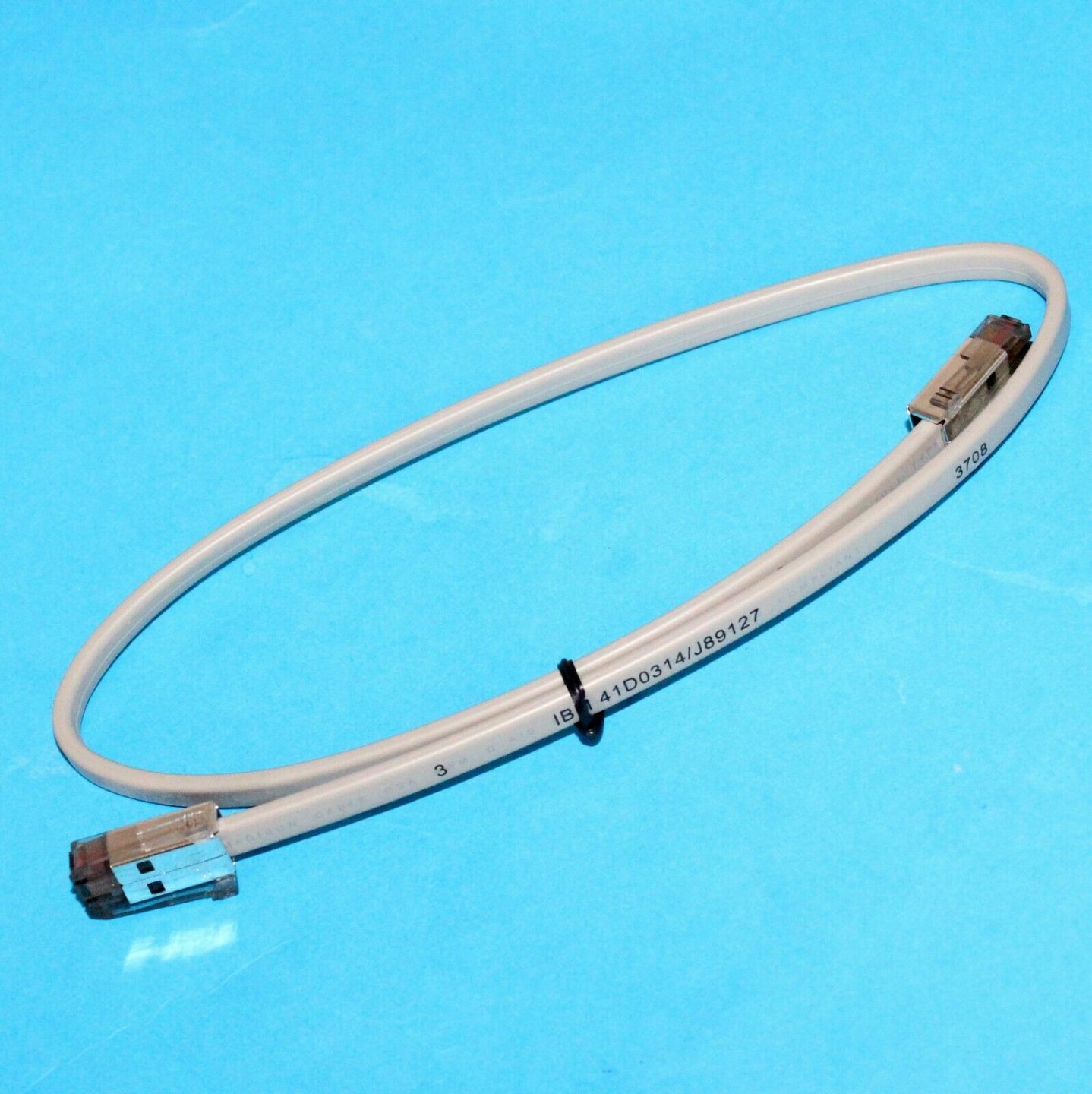
Two things must agree for this to work: the cable’s pinout (POS-grade, not a phone cable) and the drawer’s voltage (most are 24V, some 12V) versus what the printer kicks. Get either wrong and the drawer either won’t open or opens unreliably.
ขนาดและคุณภาพงานสร้าง
Once the connection is settled, size and build decide whether the drawer survives daily abuse and fits your counter:
| Factor | What to choose | |
|---|---|---|
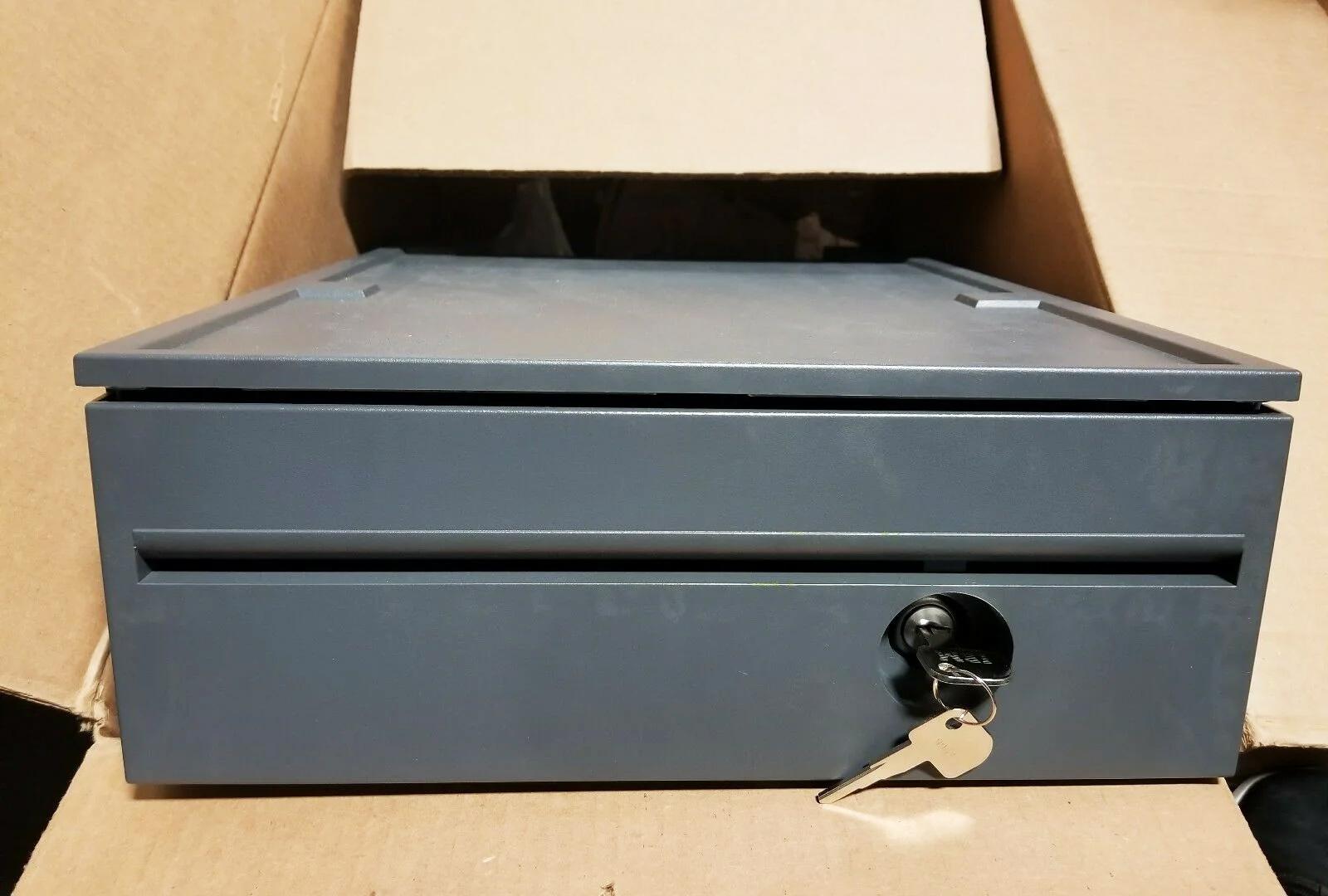
| Footprint | Compact ~13 in for tight/tablet counters; ~16 in standard for most retail | — |
| Bill compartments | 4–5 for most currencies; more for multi-denomination/currency | — |
| Coin cups | 5–8 removable cups; match your coin set | — |
| Construction | Steel front & frame; roller-bearing slide for smooth, durable opening | — |
| Lock | Multi-position (open / online / locked) for cash control | — |
| Media slot | Add one if you accept cheques or large notes under the till | — |
เลือกตามการติดตั้ง
A short path from your setup to the right drawer:
- 1
Do you have a kick-capable receipt printer?
Most do — a drawer-kick (RJ11/RJ12) port. If yes, choose a printer-driven drawer. If your POS is tablet-based with no kick port, choose USB. - 2
Match the voltage
Confirm the printer kicks 24V (most common) or 12V, and pick a drawer rated for the same. Mismatched voltage opens unreliably or not at all. - 3
Size it
Pick the footprint that fits your counter and the bill/coin layout that matches your cash volume and currency. - 4
Pick the build and lock
Steel front, roller-bearing slide, and a multi-position lock for a busy till. Add a media slot if you take cheques or large notes.
สาย การตั้งค่า และสิ่งที่ต้องจัดหา
To get it running and keep it running, order and check these:
| Item | Note | |
|---|---|---|
| Drawer-kick cable | POS-grade RJ11/RJ12 wired for your printer + drawer (not a phone cable) | — |
| Correct printer port | Plug into the drawer-kick port, not a phone/network jack | — |
| POS kick setting | Enable the drawer-kick in the printer/POS config; test with a no-sale open | — |
| Spare lock & keys | Keep spares; locks and keys are common loss items | — |
| Spare coin tray | Removable trays wear and crack — easy to replace | — |
Browse cash drawers and spares in our cash drawer & parts category, and drawer-kick cables in cables & connectors. If a correctly-bought drawer won’t open, our cash-drawer troubleshooting guide walks the full diagnosis, and the printer interface guide covers the printer side. Tell us your printer model and we’ll match a compatible drawer and cable before you order.
คำถามที่พบบ่อย
ลิ้นชักขับด้วยเครื่องพิมพ์กับแบบ USB ต่างกันอย่างไร?
ใช้สายโทรศัพท์/อีเทอร์เน็ตธรรมดากับลิ้นชักได้ไหม?
ลิ้นชักใด ๆ ใช้กับเครื่องพิมพ์ใบเสร็จของฉันได้ไหม?
ต้องใช้ลิ้นชักขนาดไหน?
ควรดูอะไรในคุณภาพงานสร้าง?
ลิ้นชักไม่เปิด — เป็นที่ลิ้นชักหรือการตั้งค่า?
แหล่งข้อมูลและการอ่านเพิ่มเติม
คู่มือที่เกี่ยวข้อง
เครื่อง POS ออลอินวัน vs โมดูลาร์: ควรซื้อแบบไหน (และแต่ละแบบกระทบการซ่อมอย่างไร)
ออลอินวันเรียบร้อยและติดตั้งเร็ว; โมดูลาร์ยืดหยุ่นและอัปเกรดและซ่อมถูกกว่า คำตอบที่ถูกขึ้นกับขนาด แผนการเติบโต — และคุณอยากจัดการความเสียอย่างไร
อ่านคู่มือ →คู่มือเลือกซื้อเครื่องสแกนบาร์โค้ด: เลเซอร์ 1D vs อิมเมเจอร์ 2D, มีสาย vs ไร้สาย, มือถือ vs แฮนด์ฟรี
สองคำถามตัดสินส่วนใหญ่: ต้องสแกนจอมือถือไหม (ถ้าใช่ ก็ 2D) และเคาน์เตอร์ยุ่งพอจะอยากได้แฮนด์ฟรีไหม นี่คือวิธีที่เทคโนโลยี รูปแบบ และการเชื่อมต่อจับคู่กับการใช้งานจริง
อ่านคู่มือ →ตัวตัดอัตโนมัติของเครื่องพิมพ์ใบเสร็จ: กิโยติน vs โรตารี, ตัดบางส่วน vs ตัดขาด, และอายุใบมีด
กิโยตินหรือโรตารี? ตัดบางส่วนหรือตัดขาด? ตัวตัดเป็นชิ้นส่วนเคลื่อนไหวที่ใช้บ่อยที่สุดในเครื่องพิมพ์ใบเสร็จ — ชนิดและโหมดที่ถูกทำให้เลนเร็วและใบเสร็จเรียบร้อย
อ่านคู่มือ →หมวดหมู่ที่เกี่ยวข้อง
อะไหล่แนะนำ


ต้องการอะไหล่ที่กล่าวถึงในคู่มือนี้หรือไม่?
อะไหล่ OEM ของแท้และอะไหล่ทดแทนคุณภาพระดับโรงงานสำหรับระบบ IBM, Toshiba, NCR, Diebold, Wincor และ Hyosung — จัดส่งทั่วโลก


