
อะไหล่ POS Wincor Nixdorf / Diebold Nixdorf: ระบุ BEETLE และเครื่องพิมพ์ซีรีส์ TH แล้วสั่งอะไหล่ให้ถูก
คู่มือจัดหาอะไหล่สำหรับฮาร์ดแวร์ POS Wincor Nixdorf (ปัจจุบันคือ Diebold Nixdorf) — ระบบนิเวศเทอร์มินัล BEETLE เครื่องพิมพ์ใบเสร็จ TH230/TH230+/TH320 การอ่านรหัสชิ้นส่วนชุด 1750 และการจับคู่หัวพิมพ์ ใบมีดตัด และแหล่งจ่าย 24V ที่ถูกต้อง
คำตอบอย่างเร็ว
Wincor Nixdorf — now part of Diebold Nixdorf — BEETLE terminals and TH-series receipt printers fill checkout lanes across European and global retail. Sourcing parts for them is easy once you know the rule: everything is keyed to the 1750 part-number scheme. Capture the model name and the 1750 number and the rest follows:
| Step | What to capture | |
|---|---|---|
| 1. Read the model name | e.g. TH230 / TH230+ / TH320, or a BEETLE terminal model | — |
| 2. Read the 1750 part number | e.g. 01750119382 — on the device label | — |
| 3. Note the voltage | TH printers are typically 24V (from BEETLE or external PSU) | — |
| 4. Cross-reference & order | Match the 1750 OEM number to a tested equivalent | — |
ระบบนิเวศ POS BEETLE
BEETLE is Wincor’s modular POS terminal family — the system the TH-series printers and other peripherals plug into. Because it’s modular, a checkout is assembled from a terminal plus printer, display, scanner and so on, often powered and connected through the BEETLE itself. That matters for sourcing because the printer frequently draws its 24V from the terminal rather than its own brick.
| Component | Role in a BEETLE checkout | |
|---|---|---|
| BEETLE terminal | The modular POS host; often powers the printer at 24V | — |
| TH-series printer | Receipt (and on TH320, slip) printing | — |
| Operator / customer display | Cashier and shopper screens | — |
| Scanner / scale / MSR | Peripherals on the same modular system | — |
เครื่องพิมพ์ใบเสร็จซีรีส์ TH
The TH-series receipt printers are the parts most people are here for. The key split is receipt-only vs hybrid:
| TH230 / TH230+ | TH320 | |
|---|---|---|
| Type | Thermal receipt (2-colour capable) | Hybrid: thermal receipt + impact slip |
| Receipt speed | Up to ~220 mm/s | Thermal receipt station |
| Slip / cheque printing | No | Yes (impact slip station) |
| Cutter | 90 mm receipt cutter | 90 mm receipt cutter |
| Power | 24V (BEETLE or external PSU) | 24V (BEETLE or external PSU) |
| Best for | Receipts only | Receipts + slip/cheque at one station |
อ่านรหัสชิ้นส่วนชุด 1750 ของ Wincor
Everything hinges on the Wincor part number. It’s a 1750-series code printed on the device label — read it in full:
The label is usually on the base or rear of the printer or terminal. Capture the complete 1750 number plus the model name — together they let a supplier match the exact part across both the Wincor and Diebold Nixdorf catalogues.
อะไหล่สิ้นเปลือง (และรายละเอียด 24V)
These are the parts that actually wear on a TH-series printer. Replacing the right one beats replacing the printer:
| Part | Symptom / note | |
|---|---|---|
| Thermal printhead | Faint or missing dots; cross-fits TH230/+/320/420 (verify by 1750) | — |
| Receipt cutter (90 mm) | Jams or won't cut cleanly | — |
| Platen roller | Feed problems and smudging | — |
| Slip-station parts (TH320) | Slip print/feed faults on the hybrid model | — |
| 24V power supply | Dead printer — match 24V and connector exactly | — |
การอ้างอิงไขว้และการสั่งซื้อ
Put it together into a clean order:
- 1
Capture the identifiers
Note the model name (e.g. TH230) and the full 1750 part number from the label, plus the voltage (typically 24V). - 2
Decide receipt-only vs hybrid
Confirm whether you need a receipt-only part (TH230/TH230+) or a hybrid TH320 slip station — they differ beyond the shared thermal head. - 3
Cross-reference the 1750 number
Match the Wincor/Diebold Nixdorf OEM 1750 number to a genuine or quality-tested equivalent — for the printhead, confirm TH-series fitment by that number. - 4
Verify before shipping
Send a photo of the device label (model + 1750 number) to your supplier so they can confirm the part — including voltage and interface — before it ships.
Browse Wincor Nixdorf terminals and spares in our Wincor Nixdorf parts category, printheads in thermal print heads, and other receipt printers in POS printers. For head-replacement technique and power diagnosis, see our printhead replacement and power supply failure guides. Send us your model and 1750 number and we’ll match the exact Wincor/Diebold Nixdorf part before you order.
คำถามที่พบบ่อย
Wincor Nixdorf BEETLE คืออะไร และเกี่ยวข้องกับ Diebold Nixdorf อย่างไร?
ระบุได้อย่างไรว่ามีเครื่องพิมพ์หรือเทอร์มินัล Wincor รุ่นใด?
TH230 กับ TH320 ต่างกันอย่างไร?
หัวพิมพ์ของ Wincor TH230, TH230+, TH320 และ TH420 ใช้แทนกันได้ไหม?
ทำไมแรงดันแหล่งจ่ายจึงสำคัญบนเครื่องพิมพ์ BEETLE?
ทำให้แน่ใจได้อย่างไรว่าอะไหล่ Wincor ทดแทนจะใส่ได้?
แหล่งข้อมูลและการอ่านเพิ่มเติม
- Wincor Nixdorf TH230 / TH320 receipt printer (overview) — Wincor (regional)
- Thermal Receipt Printer TH230 — datasheet — Wincor Nixdorf (via Yumpu)
- TH230 / TH230+ POS Printer Programmer's Guide — pwks.de
- Wincor Nixdorf POS Printers (reference listings, 1750 numbers) — eBay
- Wincor Nixdorf ND69 — user manual (device reference) — ManualsLib
คู่มือที่เกี่ยวข้อง
การเปลี่ยนแป้นรหัส PIN (EPP) ของ ATM: การงัดแงะ การปฏิบัติตาม PCI PTS การฉีดกุญแจ และการเลือกชิ้นส่วนที่ถูก
แป้นรหัส PIN ของ ATM เป็นชิ้นส่วนที่ถูกกำกับด้านความปลอดภัยมากที่สุด การเปลี่ยนไม่ใช่แค่สลับชิ้น — แต่เป็นกฎการงัดแงะ การปฏิบัติตาม PCI PTS และกุญแจที่มีเพียงผู้ได้รับอนุญาตเท่านั้นที่ฉีดได้ นี่คือความหมายในทางปฏิบัติ
อ่านคู่มือ →เครื่องพิมพ์ใบเสร็จ NCR RealPOS: ระบุรุ่นและสั่งหัวพิมพ์ ใบมีดตัด และอะไหล่ให้ถูก
การสั่งอะไหล่ NCR RealPOS พลาดที่จุดเดียว: หัวพิมพ์มีทั้งแบบ 9 พินและ 15 พินที่หน้าตาคล้ายกันและใช้แทนกันไม่ได้ นี่คือวิธีอ่านหมายเลขรุ่นและจับคู่อะไหล่ให้ตรง
อ่านคู่มือ →เครื่องพิมพ์ POS Fujitsu (FP-1000 / FP-510): ระบุรุ่น อ่านรหัส KA02066 สั่งอะไหล่ให้ถูก
FP-1000 ของ Fujitsu เป็นเครื่องพิมพ์ใบเสร็จที่อึดมาก — แต่การสั่งอะไหล่ต้องถอดรหัสคอนฟิก KA02066 นี่คือวิธีอ่านและจับคู่หัวพิมพ์กับใบมีดตัดให้ตรงบิลด์ของคุณ
อ่านคู่มือ →หมวดหมู่ที่เกี่ยวข้อง
อะไหล่แนะนำ
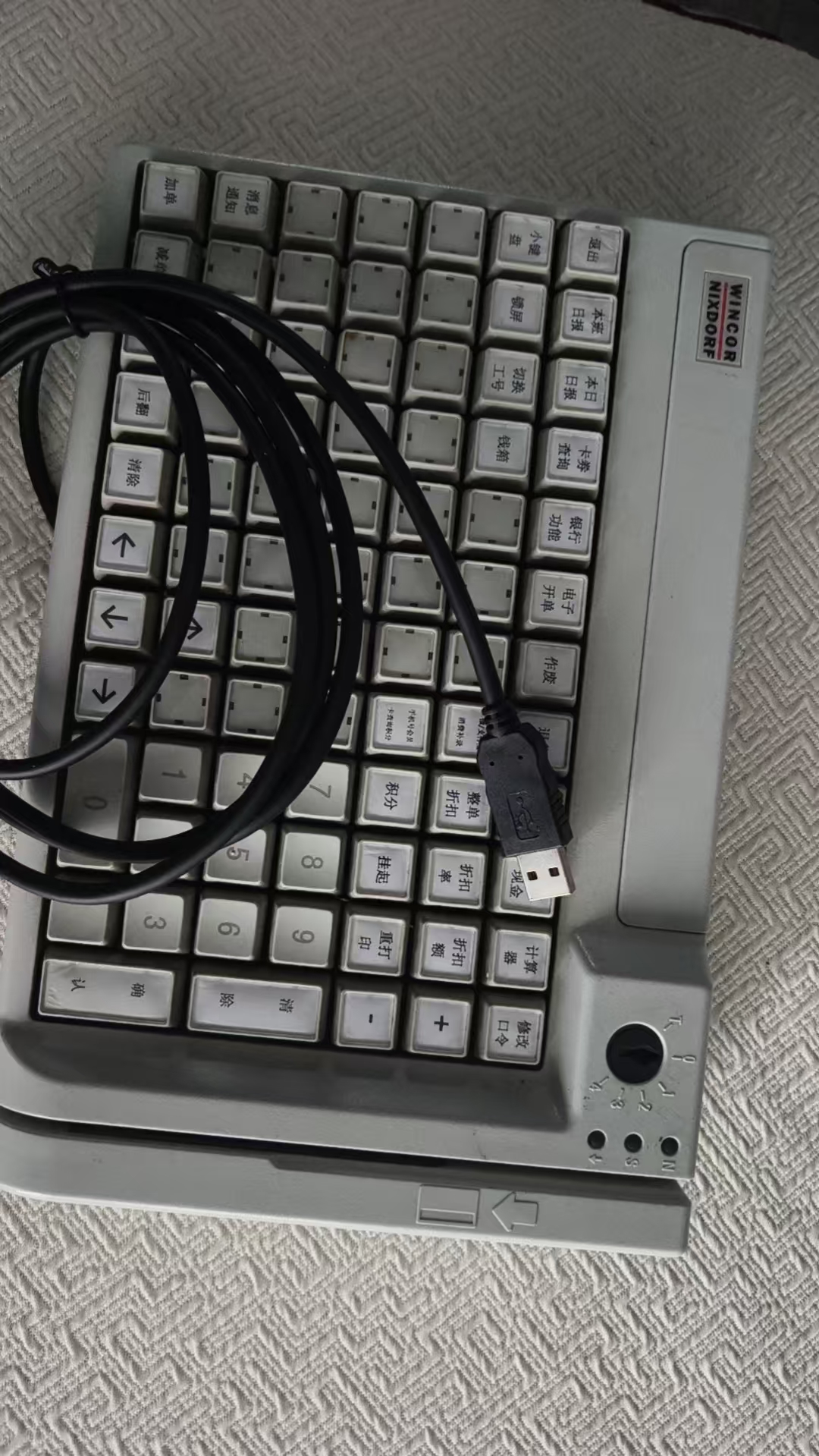



ต้องการอะไหล่ที่กล่าวถึงในคู่มือนี้หรือไม่?
อะไหล่ OEM ของแท้และอะไหล่ทดแทนคุณภาพระดับโรงงานสำหรับระบบ IBM, Toshiba, NCR, Diebold, Wincor และ Hyosung — จัดส่งทั่วโลก


