
قارئ بطاقات POS لا يقرأ التمرير؟ التنظيف وتحرّي الأعطال واستبدال MSR
دليل عملي لقارئ شريط مغناطيسي لا يقرأ — كيف يعمل MSR، الطريقة الصحيحة لتنظيف رأس القراءة، عزل البطاقة التالفة عن القارئ التالف عن مشكلة المضيف، واختيار بديل حسب الواجهة والمسارات.
الفرز السريع
A card reader that suddenly stops reading swipes rarely needs replacing. In the field, the order of likelihood is almost always: a dirty read head first, a worn or demagnetized card second, swipe technique third, and an actual reader failure a distant fourth. Two cheap tests resolve most calls before you order anything:
| Do this | What it rules out | |
|---|---|---|
| 1. Clean the slot (cleaning card or IPA + microfiber) | A dirty read head — the #1 cause of swipe failures | — |
| 2. Try 2–3 known-good cards | A single demagnetized or scratched card | — |
| 3. Swipe slowly, stripe facing the head | Too-fast, partial or wrong-orientation swipes | — |
| 4. Reseat USB / restart the terminal | A loose connection or stale USB session | — |
| 5. Cross-test, then replace | Confirms the reader itself is the fault before you buy | — |
كيف يعمل قارئ الشريط المغناطيسي
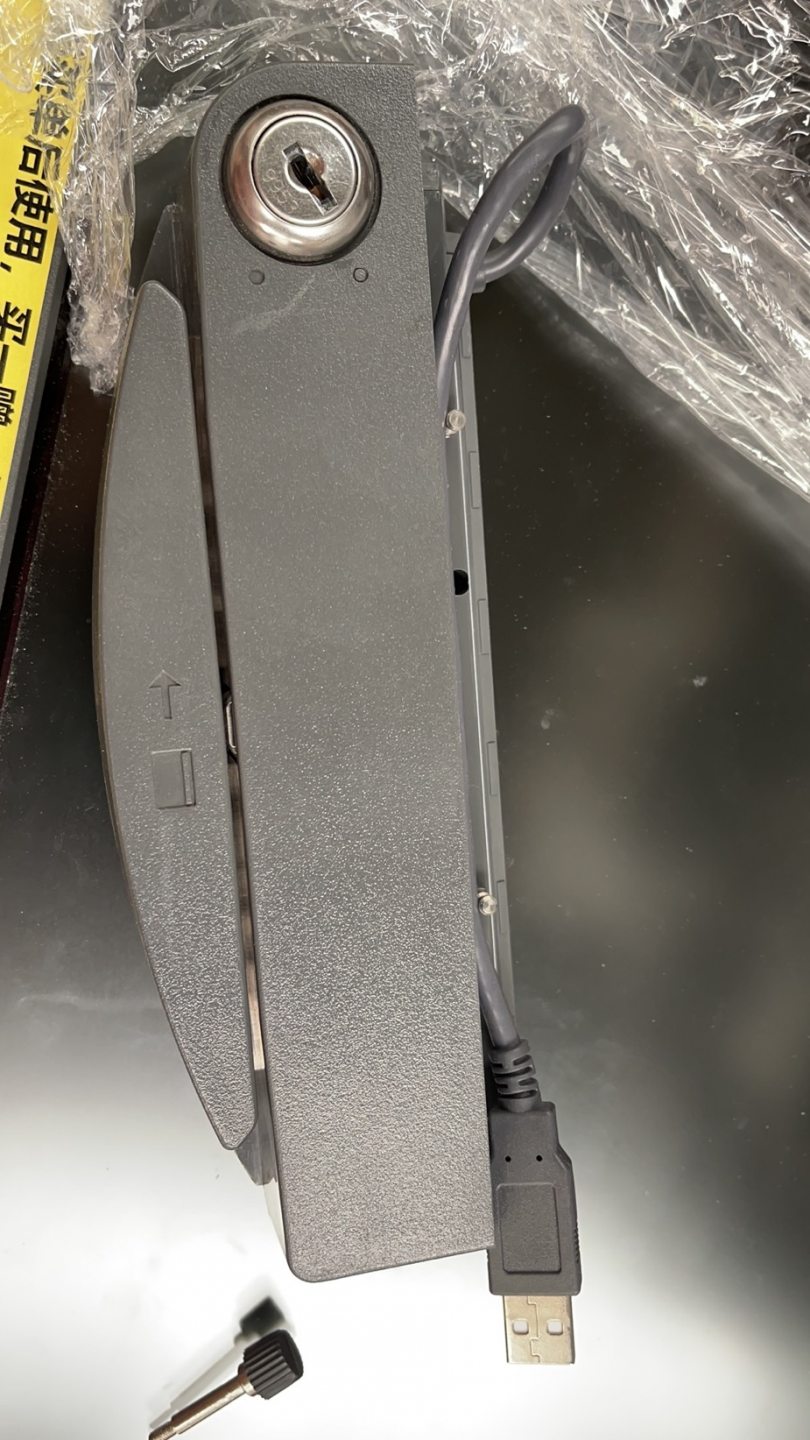
A magnetic-stripe reader (MSR) is simple: as the card’s stripe slides past a tiny magnetic read head, the head detects the flipping magnetic fields encoded on the stripe and converts them to data. The stripe holds up to three parallel tracks, and most POS transactions read tracks 1 and 2.
Because reading depends on physical contact between stripe and head, two things dominate failures: anything that blocks that contact (dirt, lint, grime on the head) and anything that weakens the signal (a worn, scratched or demagnetized stripe). That’s why cleaning and a known-good card resolve the overwhelming majority of swipe problems.
قراءة العَرَض
The pattern of failure points to the cause. Match yours before reaching for a tool:
| Symptom | Most likely cause | |
|---|---|---|
| No cards read at all | Dirty head, loose USB, or failed reader | — |
| Some cards read, others don't | Worn/demagnetized cards (not the reader) | — |
| Reads only on slow, careful swipes | Head wear or build-up — clean, then watch the trend | — |
| LED reacts but POS shows nothing | USB/HID config or the POS field isn't focused | — |
| Intermittent / drops out | Loose connector or failing reader electronics | — |
| Customer chip cards 'fail' | Chip card swiped instead of inserted — not an MSR fault | — |
تنظيف رأس القراءة بالطريقة الصحيحة
Cleaning is the highest-yield fix, but only if done correctly — the wrong materials make things worse. Follow this exactly:
- 1
Use the right material
A purpose-made cleaning card, or a lint-free microfiber cloth lightly dampened with isopropyl alcohol. Nothing else touches the slot.Caution: Never use paper towel, tissue or ordinary cloth — they shed lint that builds up on the head and causes failures. - 2
Pass through in one direction
Insert the cleaning card or fold the cloth thin, and draw it slowly and fully through the swipe slot in one direction. - 3
Repeat in the opposite direction
Pull it back through the other way. Repeat a few passes until it comes out clean. Let any alcohol flash off before swiping a real card. - 4
Re-test with a known-good card
Swipe two or three good cards smoothly. If they read, you’re done — and you’ve just learned the cleaning interval this site needs.
العزل: بطاقة تالفة، قارئ تالف، أم المضيف؟
If cleaning didn’t fix it, isolate the fault with a quick cross-test. The goal is to prove which of three things is at fault — the card, the reader, or the host — before you replace anything.
| Test | Result → conclusion | |
|---|---|---|
| Several good cards in the suspect reader | None read → reader is the likely fault | — |
| The original card in another good reader | Fails there too → the card is demagnetized/worn | — |
| Suspect reader on another terminal | Works there → host PC, USB or software, not the reader | — |
| Reader LED on swipe, POS blank | Config/focus issue — check USB-HID and the input field | — |
If the reader fails every good card across multiple terminals even after cleaning, the read head is worn or the electronics have failed — it’s time to replace it.
اختيار MSR بديل
Read heads are wear parts; in heavy retail a reader may be due after a few years even with diligent cleaning. Match the replacement on these specs for a clean swap:
| Spec | How to choose | |
|---|---|---|
| Interface | USB HID keyboard-emulation (most common), USB-serial, or RS-232 | — |
| Tracks read | 1/2 for most payments; 1/2/3 if your application needs track 3 | — |
| Form factor | Standalone slot, or integrated to a specific display/terminal model | — |
| Mounting | Side-mount bracket vs built-in — match your terminal's chassis | — |
| Brand fit | Some terminals (Elo, NCR, etc.) take a model-specific attached reader | — |
Browse standalone and integrated readers in our card readers & scanners category, and replacement cables in cables & connectors. For motorized ATM-style read heads — a different beast from a hand-swipe POS MSR — see our ATM card reader heads comparison. Tell us your terminal model and required tracks and we’ll match the right reader before you order.
الأسئلة الشائعة
قارئ بطاقات POS لدي توقّف عن قراءة التمرير — ما أول ما أفحصه؟
كيف أنظّف قارئ شريط مغناطيسي، وكم مرة؟
كيف أعرف إن كان العطل في البطاقة أم القارئ؟
هل تهم سرعة التمرير أو اتجاهه؟
القارئ يعمل لكن POS لا يُظهر شيئًا عند التمرير — هل هو البرنامج؟
متى يكون MSR باليًا فعلًا ويستوجب الاستبدال؟
المصادر والمراجع الإضافية
أدلة ذات صلة
توصيل وأسلاك درج النقود: drawer-kick بـ RJ11/RJ12، مُشغَّل بالطابعة مقابل USB، ونبضة 12–24V
درج نقود POS لا يُوصَل بالكاشير — بل تفتحه نبضة 12–24V من طابعة الإيصالات عبر كابل RJ11/RJ12. الواجهة والدبابيس والجهد الصحيحة، ويعمل.
اقرأ الدليل →مروحة تبريد POS صاخبة أو معطوبة؟ شخّص المحمل، نظّفه، وطابق بديلًا
مروحة POS التي تطحن أو تصفر غالبًا غبار أو محمل بالٍ — وإهمالها يؤدّي إلى ارتفاع الحرارة والإغلاق. إليك كيف تجد المروحة الصاخبة، وتقرّر تنظيف-أم-استبدال، وتختار الصحيحة.
اقرأ الدليل →الإيصال يطبع باهتًا أو داكنًا أو ناقصًا أو مخطّطًا؟ استكشاف جودة الطباعة الحرارية (ابدأ بالاختبار الذاتي)
الإيصالات الباهتة أو المخطّطة أو من جانب واحد تعود غالبًا إلى رأس متّسخ أو ورق خاطئ أو إعداد كثافة — لا إلى طابعة معطّلة. اختبار ذاتي واحد يقول إن كان الحل برمجيًا أم عتاديًا.
اقرأ الدليل →فئات ذات صلة
قطع غيار مميزة
%20Sparta%20Riser%20Card/120c399634d85265f7a7595a979407ee_c48b4b186f0a2eea2b86d0d5a86c219e_s-l1600.jpg)

هل تحتاج إلى القطع المذكورة في هذا الدليل؟
قطع OEM أصلية وبدائل مختبرة في المصنع لأنظمة IBM و Toshiba و NCR و Diebold و Wincor و Hyosung — مع شحن عالمي.


