
Fujitsu POS-Drucker (FP-1000 / FP-510): Modell erkennen, das KA02066-Schema lesen, das richtige Teil bestellen
Ein Beschaffungsleitfaden für Fujitsu POS-Bondrucker — FP-1000 und FP-510, das KA02066-Dxxx-Konfigurationsschema lesen, die duale 58/80-mm-Papierbreite, und Druckkopf, Cutter und die richtige Konfigurationsvariante treffen.
Die schnelle Antwort
Fujitsu’s FP-1000 is a durable, full-featured thermal receipt printer — and sourcing parts for it is straightforward once you read the right code. Everything keys to the model name plus the KA02066-Dxxx configuration number on the label:
| Step | What to capture | |
|---|---|---|
| 1. Read the model | FP-1000 (full-feature) or FP-510 (value) | — |
| 2. Read the KA02066-D number | e.g. KA02066-D115 / -D210 — the exact config | — |
| 3. Note paper width | FP-1000 runs selectable 58 mm or 80 mm | — |
| 4. Cross-reference & order | Match the config + printhead number to a tested part | — |
Die Fujitsu-POS-Drucker-Reihe
Fujitsu’s POS receipt range centres on two thermal models, with older CT-series mechanisms still in the field:
| Model | Tier | Notes | |
|---|---|---|---|
| FP-1000 | Full-feature | 203 dpi, ~180 mm/s, dual 58/80 mm, integrated cutter | — |
| FP-510 | Value | Lower-cost receipt printer in the same family | — |
| CT-series (legacy) | Older | Earlier Fujitsu mechanisms; printheads still sourced (e.g. KD-prefixed) | — |
Was den FP-1000 zum Arbeitstier macht
The FP-1000 earns its “workhorse” reputation on a few specifics that also tell you what parts it uses:
| Spec | FP-1000 | |
|---|---|---|
| Resolution | 203 dpi | — |
| Speed | ~180 mm/s | — |
| Mechanism life | Rated for tens of millions of lines | — |
| Paper width | Selectable 58 mm and 80 mm; rolls up to ~83 mm dia. | — |
| Built-in | Cutter, buzzer, cash-drawer kick, drop-in paper load | — |
Das KA02066-Konfigurationsschema lesen
The KA02066 number on the label is the key to ordering. Read it in full:
The label is on the base or rear of the printer. Capture the complete KA02066-D number plus the model name — together they let a supplier match the exact configuration, including the fitted interface.
Verschleißteile und der Druckkopf
These are the parts that wear on an FP-1000. Replacing the right one beats replacing the printer:
| Part | Symptom / note | |
|---|---|---|
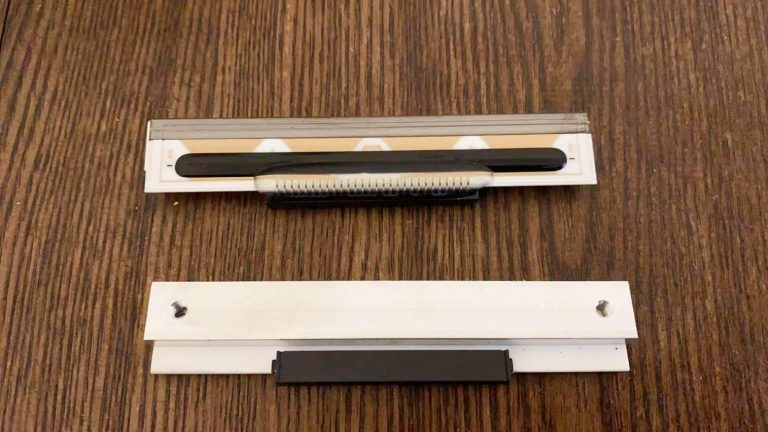
| Thermal printhead | Faint or missing dots; match the Fujitsu head part no. (KD/KA) | — |
| Cutter | Jams or won't cut cleanly (integrated on FP-1000) | — |
| Platen roller | Feed problems, smudging — confirm 58 vs 80 mm | — |
| Power supply / adapter | Dead printer — many units ship without the AC adapter | — |
| Interface | Connects but won't print — confirm the config's interface | — |
Cross-Referencing und Bestellung
Put it together into a clean order:
- 1
Capture the identifiers
Note the model (FP-1000 / FP-510) and the full KA02066-D configuration number from the label, plus your paper width (58 or 80 mm). - 2
Find the printhead number
For a head, read the Fujitsu printhead part number (KD/KA-prefixed) printed on the head if you can, rather than assuming from the model. - 3
Cross-reference the OEM number
Match the Fujitsu OEM number to a genuine or quality-tested equivalent at the same 203 dpi and the correct configuration. - 4
Verify before shipping
Send a photo of the printer label (model + KA02066-D number) so your supplier can confirm the part — including interface and power — before it ships.
Browse Fujitsu printers and spares in our Fujitsu printer & parts category, printheads in thermal print heads, and other receipt printers in POS printers. For head-replacement technique and power diagnosis, see our printhead replacement and power supply failure guides. Send us your model and KA02066-D number and we’ll match the exact Fujitsu part.
Häufig gestellte Fragen
Was ist der Unterschied zwischen Fujitsu FP-1000 und FP-510?
Wie erkenne ich genau, welchen Fujitsu-Drucker/welche Konfiguration ich habe?
Was bedeutet eine Fujitsu-Teilenummer wie KA02066-D210?
Kann der FP-1000 wirklich 58-mm- und 80-mm-Bons drucken?
Welches Teil verschleißt am Fujitsu FP-1000, und kann ich nur das tauschen?
Wie stelle ich sicher, dass ein Fujitsu-Ersatzteil passt?
Quellen & weiterführende Literatur
- Fujitsu FP-1000 Thermal Printer (KA02066-D210 example) — IT Instock
- Fujitsu FP-1000 POS Printer — KA02066-D115 — Barcode Discount
- Fujitsu FP-1000 Datasheet — Manualzz
- Fujitsu POS Printer: FP-1000 Series (overview) — SlideShare
- Fujitsu POS Printers (reference listings, KA02066 numbers) — eBay
Verwandte Anleitungen
ATM-PIN-Pad-(EPP-)Austausch: Manipulation, PCI-PTS-Konformität, Schlüsselinjektion und das richtige Teil wählen
Das ATM-PIN-Pad ist das am stärksten sicherheitsregulierte Teil der Maschine. Ein Austausch ist kein bloßer Tausch — es geht um Manipulationsregeln, PCI-PTS-Konformität und Schlüssel, die nur eine autorisierte Stelle injizieren darf. Hier ist, was das praktisch bedeutet.
Anleitung lesen →NCR RealPOS Bondrucker: Modell erkennen und den richtigen Druckkopf, Cutter und Teile bestellen
Beim Bestellen von NCR-RealPOS-Teilen geht es an einer Stelle schief: Den Druckkopf gibt es in 9-Pin- und 15-Pin-Versionen, die ähnlich aussehen und nicht austauschbar sind. So lesen Sie Ihre Modellnummer und treffen das exakte Teil.
Anleitung lesen →Wincor Nixdorf / Diebold Nixdorf POS-Teile: BEETLE und TH-Serie erkennen und das richtige Teil bestellen
Wincor-Nixdorf- (jetzt Diebold-Nixdorf-) BEETLE-Systeme sind im europäischen Handel überall. Der Schlüssel zur Teilebestellung ist das 1750-Teilenummernschema — so lesen Sie es und treffen das richtige TH-Serien-Teil.
Anleitung lesen →Verwandte Kategorien
Empfohlene Ersatzteile



Benötigen Sie die in dieser Anleitung erwähnten Teile?
Originale OEM- und werksgeprüfte Aftermarket-Teile für IBM, Toshiba, NCR, Diebold, Wincor und Hyosung Systeme — mit weltweitem Versand.


