
جهاز POS يعمل لكنه لا يُقلع؟ تشخيص POST ونغمات التنبيه والذاكرة وCMOS والتخزين
دليل ميداني لجهاز POS يعمل لكنه لا يعرض صورة أو لا يُقلع — قراءة تسلسل الإقلاع ونغمات POST، إعادة تركيب الذاكرة والتخزين، مسح CMOS، وعزل القطعة التالفة قبل استبدال اللوحة الأم.
الفرز السريع
A POS terminal with spinning fans and lit LEDs but a black screen looks dead, but it isn’t — those signs prove the power supply works. The terminal is stuck somewhere in the boot sequence, almost always at POST (the power-on self-test), and the cause is usually a cheap, reseatable part: RAM, the CMOS battery, storage, or a stuck peripheral. Work the suspects cheapest-first:
| Do this | What it rules out | |
|---|---|---|
| 1. Connect an external monitor | Tells you if it's the display path vs the terminal itself | — |
| 2. Unplug all USB peripherals | A faulty USB device can hang POST entirely | — |
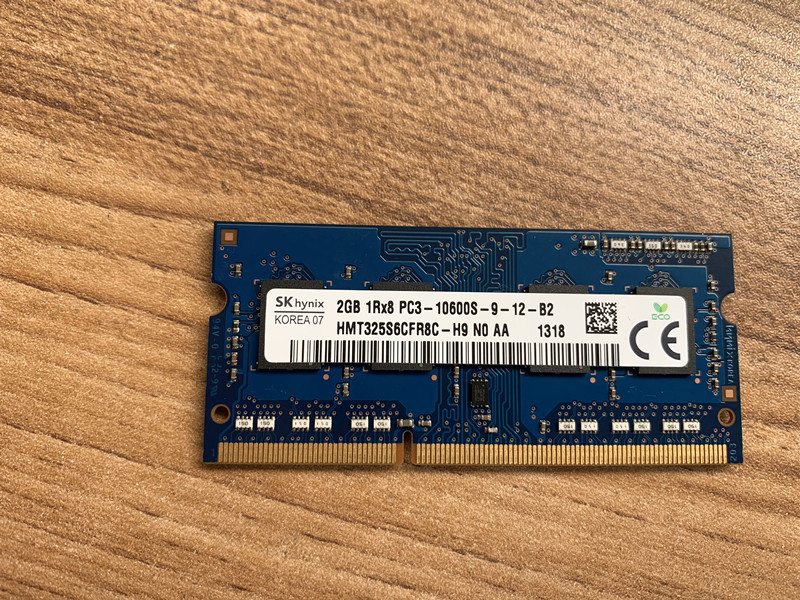
| 3. Reseat / swap RAM | Loose or failed memory — the #1 no-boot cause | — |
| 4. Clear CMOS / replace its battery | Bad BIOS config or a dead coin cell | — |
| 5. Reseat storage, then suspect the board | A loose drive; mainboard is the last resort | — |
تسلسل الإقلاع — أين يعلق
Booting happens in stages. Knowing which stage it reaches tells you which parts are already proven good and which to suspect:
- Stops at stage 1 (no fans/LEDs): power — see the power-supply guide.
- Stage 2, beeps, black screen: POST failed — usually RAM, sometimes CMOS or the board.
- Stage 3, beeps OK but no image: the display path — test an external monitor.
- Reaches stage 4–5 then hangs/loops: storage, OS or BIOS config — reseat the drive, clear CMOS.
قراءة نغمات POST ورموز LED
Before it can show anything on screen, the terminal reports POST failures as beep codes (or, on some boards, a blinking LED pattern). The exact codes vary by BIOS, so check your terminal’s table — but these patterns are near-universal starting points:
| Pattern | Usual meaning | First action | |
|---|---|---|---|
| No beep, no display | PSU, board, or no POST at all | Confirm power; remove peripherals; reseat RAM | — |
| Repeated / continuous beeps | Memory not detected | Reseat or swap RAM, one stick at a time | — |
| Two short beeps, black screen | RAM detection error | Reseat/test each RAM module | — |
| Beeps then image fails | Graphics / display path | Test an external monitor | — |
| One beep, then hangs/loops | POST OK — storage or OS | Reseat drive; check boot order / clear CMOS | — |
خطوة بخطوة: اعزل القطعة التالفة
Work the sequence in order, powering off and unplugging before you touch anything inside. Each step proves a component good so you only replace what’s actually failed.
- 1
Test the display path
Connect an external monitor (HDMI/VGA/DP as available). If the external screen shows POST or BIOS, the terminal is booting and the fault is the built-in display or its cable — not the board. - 2
Strip back to essentials
Unplug every non-essential USB peripheral — external drives, hubs, scanners, printers. A single faulty device can hang POST. Try to boot, then add devices back one at a time to find the culprit. - 3
Reseat and test RAM
Power off and unplug. Remove and firmly reinsert each RAM module. With multiple sticks, boot with just one at a time in different slots to isolate a failed module — memory is the most common no-boot cause.Caution: Touch a bare metal point to discharge static before handling RAM or the board. - 4
Clear CMOS and check the battery
Follow the board’s clear-CMOS procedure (jumper, or briefly remove the coin cell) to reset BIOS to defaults. If the coin-cell battery is old, replace it — a dead one causes boot and clock faults. - 5
Reseat storage, then judge the board
Reseat the SSD/HDD/M.2 and its cable, and check the BIOS boot order. If a confirmed power supply, known-good RAM and a cleared CMOS still won’t POST, the mainboard is the fault — match a replacement to your terminal model.
العَرَض إلى السبب بنظرة
A quick map from what you observe to the part to suspect first:
| Symptom | Most likely cause | |
|---|---|---|
| Fans on, black screen, beeps | RAM (reseat/swap first) | — |
| Boots only sometimes / random | Loose RAM or storage, or failing CMOS battery | — |
| Wrong date/time, settings reset | Dead CMOS coin-cell battery | — |
| Hangs on a logo or loops | Storage/OS fault or BIOS boot-order config | — |
| Black screen, beeps OK | Display path — test external monitor | — |
| Nothing after known-good RAM + clear CMOS | Mainboard (last resort) | — |
توفير الذاكرة والتخزين وبطارية CMOS واللوحات الأم
Most no-boot repairs are an inexpensive part, not a new terminal. Match replacements on these specs:
| Part | How to match | |
|---|---|---|
| RAM | Type (DDR3/DDR4/SO-DIMM), speed and capacity per the board's spec | — |
| Storage (SSD/HDD/M.2) | Form factor and interface (SATA/M.2); SSD is the reliable upgrade | — |
| CMOS battery | Usually a CR2032 coin cell — cheap, worth replacing proactively | — |
| Mainboard | Exact terminal model/board revision — confirm before ordering | — |
Browse boards in our mainboards category, and memory and drives in storage & memory. To pin down your exact terminal so we match the right board and RAM, use the terminal & model identification guide, and if the unit is also overheating, see the overheating & cooling guide. Send us a photo of the terminal’s label and we’ll match the correct parts before you order.
الأسئلة الشائعة
جهاز POS لدي به طاقة ومراوح لكن الشاشة سوداء — هل هو ميّت؟
ماذا تعني نغمات التنبيه عند البدء؟
كيف أعيد تركيب الذاكرة والتخزين في جهاز POS؟
ماذا يفعل مسح CMOS، ومتى أجرّبه؟
هل يمكن لجهاز طرفي موصّل أن يمنع الإقلاع؟
كيف أعرف أنها اللوحة الأم وليست قطعة أرخص؟
المصادر والمراجع الإضافية
- POS Terminal Turn-On Troubleshooting — Volcora Help Center
- Computer POST and Beep Codes — Computer Hope
- No POST Beep: Causes and Fixes — MiniTool
- Fix No POST Beep / No Input to Monitor on Startup — Wondershare Recoverit
- Troubleshooting a POS Machine That Won't Turn On — Made-in-China Insights
أدلة ذات صلة
توصيل وأسلاك درج النقود: drawer-kick بـ RJ11/RJ12، مُشغَّل بالطابعة مقابل USB، ونبضة 12–24V
درج نقود POS لا يُوصَل بالكاشير — بل تفتحه نبضة 12–24V من طابعة الإيصالات عبر كابل RJ11/RJ12. الواجهة والدبابيس والجهد الصحيحة، ويعمل.
اقرأ الدليل →مروحة تبريد POS صاخبة أو معطوبة؟ شخّص المحمل، نظّفه، وطابق بديلًا
مروحة POS التي تطحن أو تصفر غالبًا غبار أو محمل بالٍ — وإهمالها يؤدّي إلى ارتفاع الحرارة والإغلاق. إليك كيف تجد المروحة الصاخبة، وتقرّر تنظيف-أم-استبدال، وتختار الصحيحة.
اقرأ الدليل →الإيصال يطبع باهتًا أو داكنًا أو ناقصًا أو مخطّطًا؟ استكشاف جودة الطباعة الحرارية (ابدأ بالاختبار الذاتي)
الإيصالات الباهتة أو المخطّطة أو من جانب واحد تعود غالبًا إلى رأس متّسخ أو ورق خاطئ أو إعداد كثافة — لا إلى طابعة معطّلة. اختبار ذاتي واحد يقول إن كان الحل برمجيًا أم عتاديًا.
اقرأ الدليل →فئات ذات صلة
قطع غيار مميزة

%20Sparta%20Riser%20Card/120c399634d85265f7a7595a979407ee_c48b4b186f0a2eea2b86d0d5a86c219e_s-l1600.jpg)
هل تحتاج إلى القطع المذكورة في هذا الدليل؟
قطع OEM أصلية وبدائل مختبرة في المصنع لأنظمة IBM و Toshiba و NCR و Diebold و Wincor و Hyosung — مع شحن عالمي.


